Property management
that runs itself.
Free for one home · No card · Web and iPhone
prop-lane.space/portal/dashboard
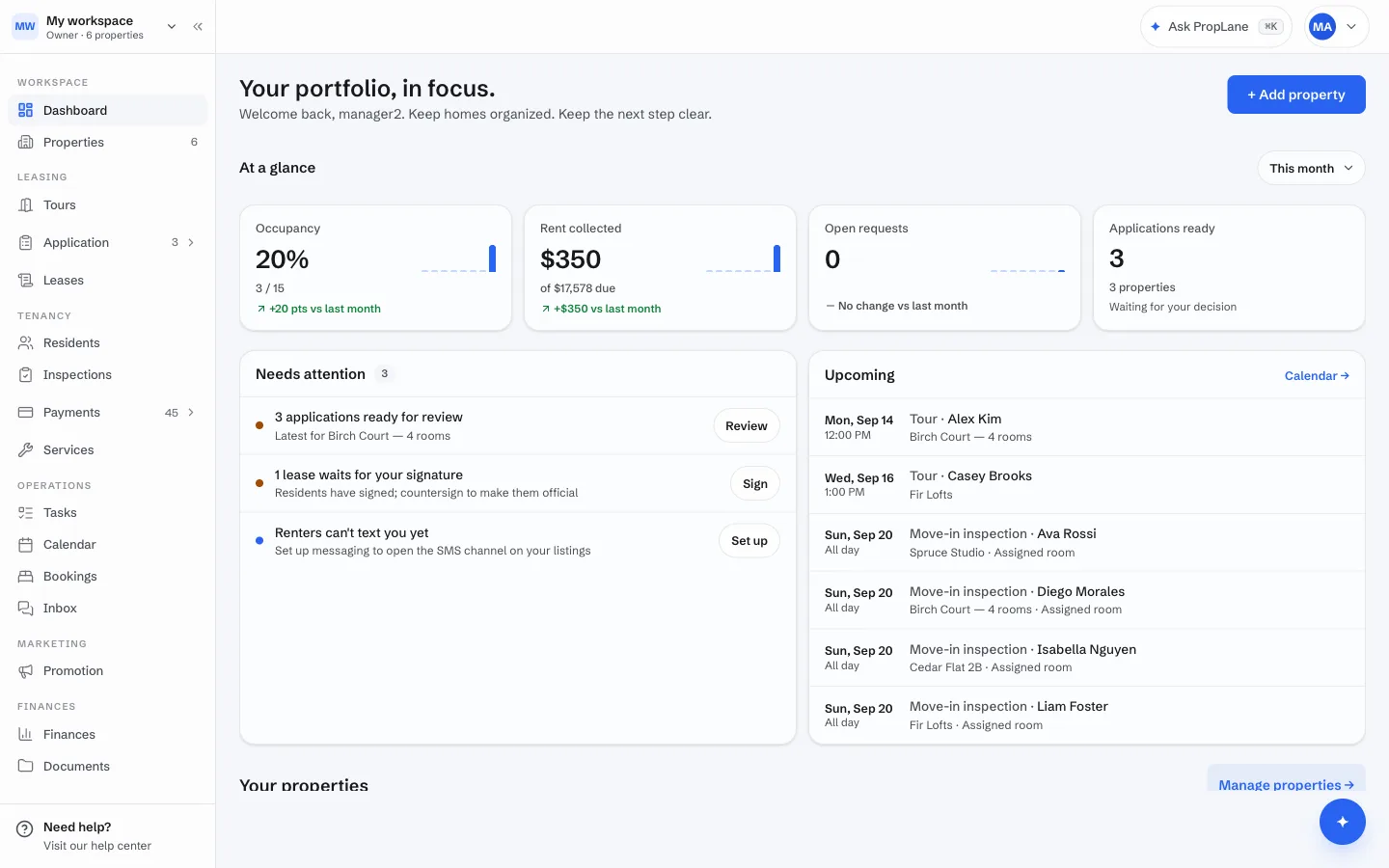

Replaces
- the spreadsheeta ledger
- group textsone inbox
- chasing rent by textrent that collects itself
- PDF leasesdrafted & e-signed
- “who’s the plumber?”vendors that show up
The inbox
Every message answered. Every workflow run.
One inbox for prospects, residents and vendors.
01 · A prospect texts
Answered in seconds. Tour booked.
Availability, price and open slots come straight from the listing. PropLane replies as a text under your work number, offers times, and books the tour when they pick one. Try it — press ✦, then Send.
02 · A resident reports a repair
Request logged. Vendor dispatched. Resident told.
The email becomes a service request. PropLane ranks your approved vendors, books the first open slot with the best one, and writes back to the resident with the window.
03 · A vendor asks a question
Job facts answered. Change orders routed.
Gate codes, access windows, who is home — answered from the job. A change to an accepted bid is priced against the job and routed to your queue with the amount spelled out.
04 · One queue
Everything the AI did, in one list.
Tours booked, vendors dispatched, replies sent — every automated action lands on your dashboard, with the handful that need a decision flagged. The same list is on your phone.
prop-lane.space/portal/communication
All 4Unread 2Archived
Search contacts or messages
Jamie P.+1 (206) 555-0147 · prospect · Ash Flats 6
Hi! Is the room at 142 Ash St still available? Could I see it Saturday afternoon?
TEXTSat 10:02 AM
Yes — Room 6A is available from Oct 1 at $1,160/mo. Saturday works: 1:00, 2:00 or 3:30 PM. Which do you want?
10:02 AMTEXT✦ answered from the listing
2 PM please!
TEXT10:05 AM
⊕
Write a reply…
Try it: ✦ → Draft with AI, pick a channel, then Send.
All 4Unread 2Archived
Search contacts or messages
Dana Reyesdana.reyes@… · resident · Maple 2A
Hi, the kitchen faucet in Maple 2A has been dripping for two days. Can someone take a look?
EMAILTue 8:41 AM
Service request #1042 created · Plumbing · Maple 2A · Pacific Plumbing booked Thu 10–12 (approved vendor · 4.9 · $140 typical)
⊕
Write a reply…
Try it: ✦ → Draft with AI, pick a channel, then Send.
All 4Unread 2Archived
Search contacts or messages
Pacific Plumbing+1 (206) 555-0188 · vendor · job #1042
Running 20 min late for Maple 2A. Is there a gate code? Is the resident home?
TEXTThu 9:48 AM
Gate code is 4471#. Dana confirmed she's home until noon — I've let her know you're ~20 minutes out.
9:48 AMTEXT✦ answered from the job
The shut-off valve is corroded — another $90. OK to proceed?
TEXT10:30 AM
Change order · $140 → $230 · routed to your queue with the valve priced against the job.
⊕
Write a reply…
Try it: ✦ → Draft with AI, pick a channel, then Send.
✦ Everything open● 1 open
Today3
PropLane · Tour booked with Jamie P.Sat 2:00 PM · Room 6A · reminder set for FridayDone
PropLane · Pacific Plumbing dispatched to Maple 2AService request #1042 · Thu 10–12 · resident notifiedDone
PropLane · $90 change order on job #1042Pacific Plumbing · bid $140 → $230 · needs a decision
Tour requests0
Also insideListingsToursApplicationsLeases & e-signPayments & ledgerServicesInspectionsTasksCalendarSee everything →
Three sign-ins. One home.
Run one home or twenty from one queue.
- List, screen, lease and collect — the AI runs the busywork
- Co-managers with per-module access
- Ledger, deposits and reports your accountant will take
- Import from AppFolio, Buildium or a spreadsheet — nothing re-typed
Manager · Properties
Ash Flats 62 rooms · 2 bd / 1 baFrom $1,160/mo0 / 2 occupied
Ballard House3 rooms · 3 bd / 1 baFrom $1,050/mo3 / 3 occupied
Switching
Up and running without starting over.
Your properties, units and residents come with you. Here's what switching to PropLane looks like.
Step 1
Import your portfolio
Upload a spreadsheet or an export from AppFolio or Buildium. Properties, units and residents come in together, in the right order.
Step 2
Invite your residents
Residents get their own portal for paying rent, submitting requests and asking the property assistant questions.
Step 3
Collect rent in PropLane
Payments land in your dashboard as they come in, and anything paid outside PropLane can be recorded too.
Manager · Import your portfolio
1 Upload2 Match columns3 Review4 Import5 Invite
2properties
7units
6residents
Maple Court220 Maple Ave · 4 units · 3 occupiedReady
1412 Pine St3 rooms · 2 occupiedReady
Luis Ortega · Room 3No email — add one to inviteCheck
Nothing is emailed until you say so
Pricing
Free for one home. $49/mo for up to 20 doors. $249/mo for up to 120.
No card to start.
Questions, answered
What is PropLane?
One place to run your rentals: list a home, take applications, book tours, sign leases, collect rent, and handle repairs and messages. Managers, residents, and your repair vendors each get their own sign-in.
What does the AI actually do?
It reads your live numbers and answers questions, and it drafts the things that eat your evenings — a reply, a lease from an application, a rent reminder, a vendor request. It never sends. Every draft shows exactly what it wrote, and it goes out only once you approve.
Is there a free plan?
Yes. Free is $0 with no card: one property listing, applications, tours and rent collection. Residents, leases, the inbox drafts and co-managers are on Pro and up.
How much does it cost?
Free is $0. Pro is $49 a month (residents, leases, and the inbox, priced by doors past the first 20). Business is $249 a month (priority support, priced by doors past the first 120). A year up front is two months free.
Do I need a credit card to try it?
No. Paid plans start with a 14-day trial and no card — you only add payment if you decide to keep it.
How do my residents get in?
You don't hand out passwords. When someone applies, PropLane emails them a one-time link — tied to the same email they applied with — to set up their own account. Once you approve them, they can pay rent, sign leases, and message you.
How do we move our portfolio into PropLane?
Upload a spreadsheet, the export from your current software (AppFolio, Buildium), or a rent-roll PDF. Properties, units and residents come in together. You review everything before anything is created, then invite residents with one click.
Can I use it on my phone?
Yes. PropLane opens in any web browser on a computer, tablet, or phone — no download needed. There is also a native iPhone app with the same queue, push notifications, and camera uploads.